So I finally got a new GoPro after I had the last 2 stolen, I haven’t had the best luck with these things. GoPro’s are excellent for taking high resolution videos but there is no image stabilization and the resolution means nothing when the video is bouncing around making the watcher motion sick. I have seen many great action videos that are completely unwatchable due to the camera bouncing around so much. The 3 axis gimbal makes the videos look amazingly smooth.
I went with the Z1 rider2 because it was fairly cheap and I plan on mounting it to a helmet so having a remote battery/ controller is the way to go. there are plenty of other gimbals that are rigidly attached to the base but for some reason this gimbal doesn’t give you the option to attach it to the battery/controller. I modelled an adapter using Revit and printed it on my Prusa 3D printer.
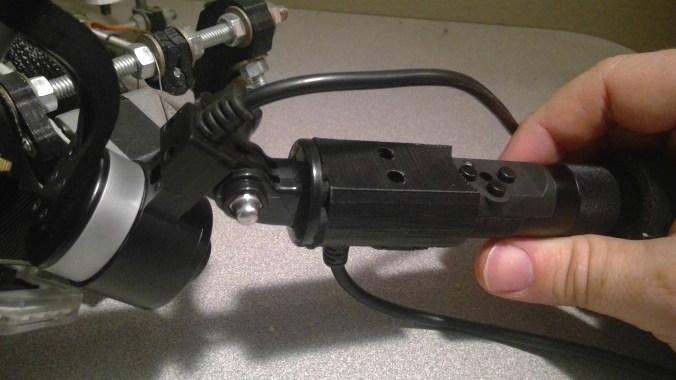
I Also do some night shots and having a light is the only way to go so I picked up a light ring off Amazon. It was originally powered by a USB cable but having an additional battery and wire coming off the gimbal was sloppy. The Z1 has a connecter that can be used to charge the GoPro so I modded the cable to power the light ring instead and added a small switch.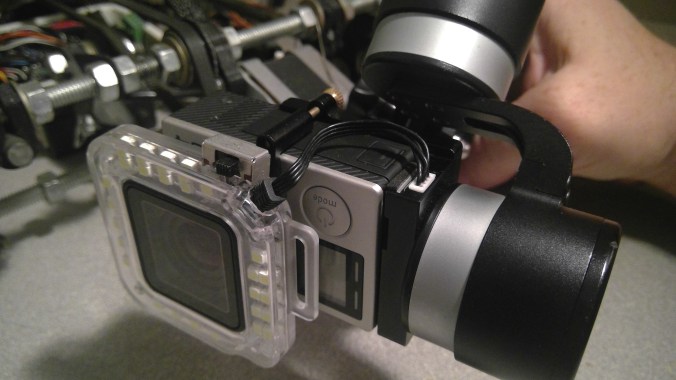
I unscrewed the glass lens off a waterproof case and put a small strip of electrical tape in-between the lens and the light to make a snug pressure fit and also put some tape inside the lens in-between the GoPro lens shroud and the glass case lens to make it snug. I originally had too much on there and when I took it off the GoPro lens shroud came off too, so dont make it too tight.
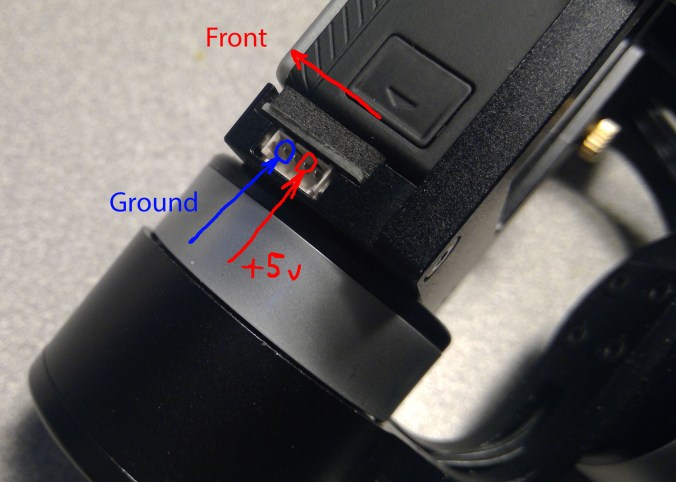
I cut the USB tip off the wire that came with the Gimbal, I will reuse it on another project. I have a spare in case I still want to use the GoPro charging feature.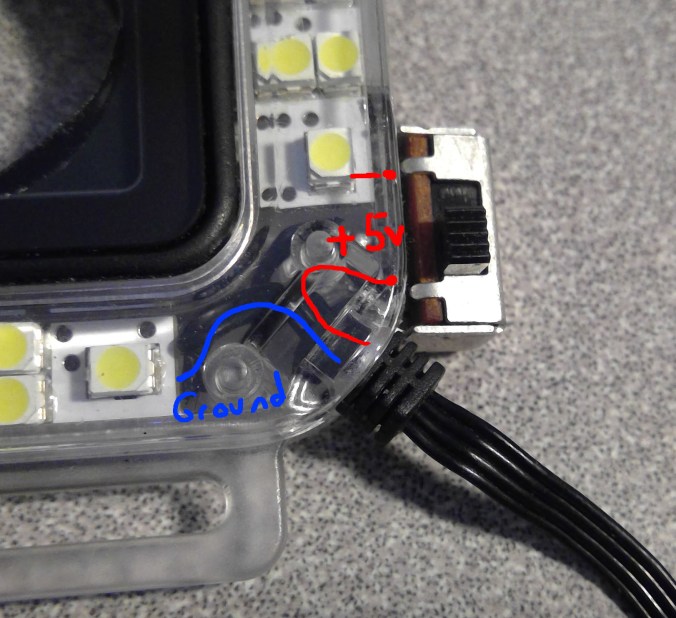 I soldered the switch pin directly to the back of the light where the original wire attached. Then I sandwiched the pins of the switch in-between the two halves of the light. I had to notch the plastic a little to get it to close.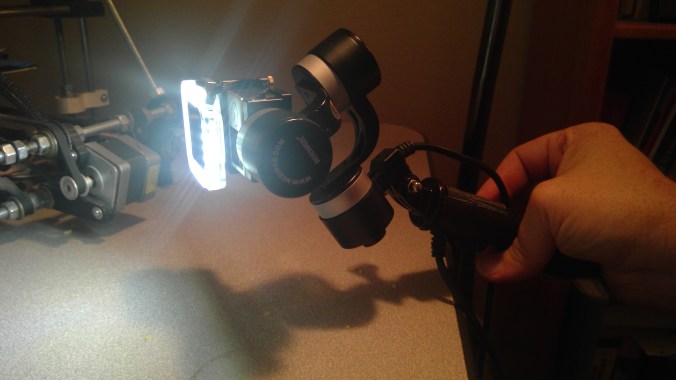
Here is one of my first quick vids to show off how smooth the Gimbal makes the video, notice how the bike and the trailer is bouncing around but the horizon stays in the same place.
The 3d model of the adapter can be downloaded here: Thingiverse
 Never Ending Design
Hi, great ideas on both the pole mount adapter and the ring light power feed. Can you please post or email more pics of the pole mount adapter please.
Ta Shaun
LikeLike
Hey Shaun, I added a link above to Thingiverse, you can view and download the part there. If you have access to a 3d printer that’s great, if not you could look for a local makerspace with printers or have it printed by shapeways or something.
LikeLike